

 Official WooCommerce Product CSV Schema • 100% Import Ready
Export WooCommerce Products to CSV — Free Alternative to WP All Import & Migration Plugins
generates official WooCommerce Product CSV Import Schema compliant files
 ShopifyWooCommerce
Export Public Store Products to Shopify & WooCommerce CSV
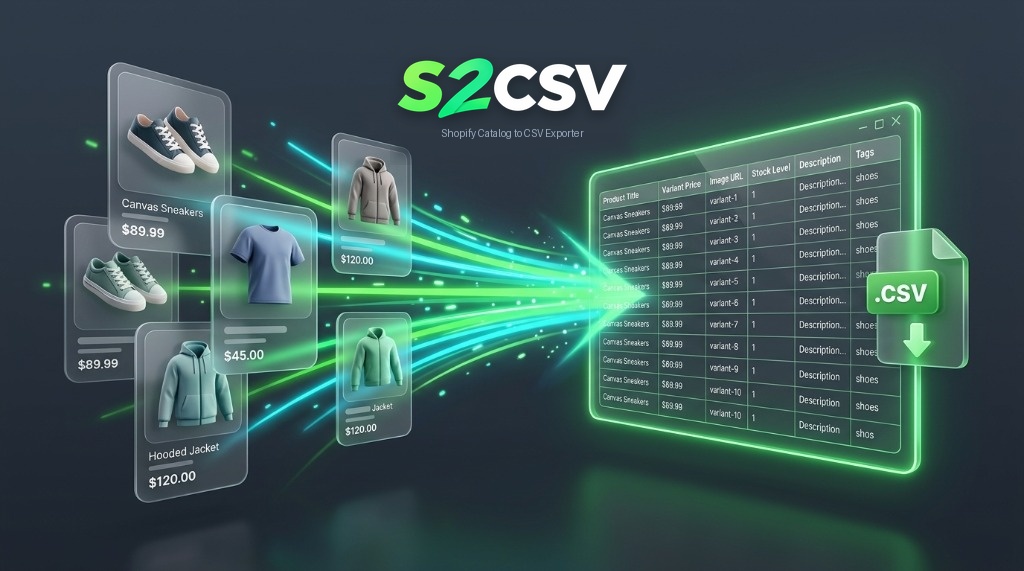
Extract full public product catalogs, collections, multi-variants, and high-res images directly into official Shopify or WooCommerce CSV import templates in seconds.
 Enter Store URLPick Format & Collections
s2csv is a free, web-based tool designed to export WooCommerce products from any public WooCommerce storefront directly into official WooCommerce Product CSV Import Schema format. It queries the public WooCommerce Store API and WP REST endpoints to extract product titles, variable attributes (Size, Color, Material), regular/sale prices, high-resolution image galleries, categories, and stock quantities without requiring WordPress admin credentials or paid export plugins.
Step-by-Step Workflow
Follow this automated 4-step sequence to export clean, error-free product catalogs without API keys.
Input any public Shopify or WooCommerce store domain. The engine automatically probes endpoints.
Target specific collections and select whether to output official Shopify 49-column CSV or WooCommerce CSV.
Download the normalized CSV ready for immediate upload into Shopify Admin or WooCommerce Products Importer.
Technical Data Specification: Export WooCommerce Products to CSV — Free Alternative to WP All Import & Migration Plugins
When exporting product catalogs from eCommerce stores, schema integrity depends on preserving multi-row variant relationships. In WooCommerce's schema, products are formatted for immediate re-import.
s2csv ensures strict RFC 4180 compliance by escaping special characters, commas, and multi-line HTML tags within double quotes. Furthermore, default inventory trackers and quantities (100 in-stock) are automatically injected so newly imported products are immediately live for sale.
Key Schema Normalization Features:
- Extracts all variant combinations: Option1 (Size) × Option2 (Color) × Option3 (Material).
- Preserves CDN image URLs at full resolution with sequential Image Position indexes or comma-separated lists.
- Auto-escapes multi-line HTML descriptions without breaking CSV row boundaries.
- Supports both official Shopify 49-column specification and WooCommerce Product CSV Import Schema wiki standards.
Reviewed by S2CSV Engineering Team
Schema Verified & Fact CheckedE-Commerce Data Architecture Specialists
Verified against live Shopify 2026 and WooCommerce 9.x import engines. Structured for 100% RFC 4180 compliance with UTF-8 BOM encoding.
S2CSV vs Alternative Scraping & Migration Methods
Compare native browser-based extraction against manual developer scripts, Chrome extensions, and paid store apps.
| Feature / Capability | s2csv (Browser-Native) | Expensive Store Apps ($50+/mo) | Chrome Extensions |
|---|---|---|---|
| Cost & Pricing | Free 10 Rows / Pro $2.99 / $19.99 Lifetime | $20 – $200 per month recurring | Freemium with $29/mo recurring subscriptions |
| Installation Required | Zero (Runs 100% inside your web browser) | Requires installing apps into store backend | Requires browser extension with read permissions |
| Store Admin / API Keys | None needed (Works on public storefronts) | Requires full admin permissions and API access | None needed |
| Cross-Platform 4-Way Export | Shopify ⇄ WooCommerce Matrix | Locked to single platform ecosystem | Single platform only (Shopify only) |
| Multi-Variant Hierarchy | Full Option1-3 & Variable Child Rows | Full support but expensive | Often drops secondary sizes/colors |
| High-Res Photo Galleries | All CDN photos sequenced in order | Supported | Usually only captures primary thumbnail |
| Data Privacy | Memory-only execution. No data saved. | Stores your customer & product data on cloud | Tracks browsing & scrapes through 3rd party |
Everything You Need to Know About S2CSV
Clear answers about schema compliance, extraction safety, and format compatibility.
How do I export products from a Shopify store to CSV?
Simply paste any public Shopify storefront URL into S2CSV. Our engine automatically fetches the products.json endpoints, resolves all variant options, maps CDN image galleries, and generates an official 49-column Shopify import CSV in seconds.
Can I convert a Shopify catalog directly to WooCommerce CSV?
Yes! S2CSV features native cross-platform conversion. Select WooCommerce CSV as your target format, and our engine will restructure Shopify variant hierarchies into WooCommerce variable parent and variation child rows with accurate attribute taxonomy.
Do I need store admin access, API keys, or browser extensions?
No. S2CSV runs entirely in your web browser and operates on publicly accessible storefront catalog endpoints. You never need store passwords, private app API keys, or browser extensions.
Is there an export limit on the Free plan?
The Free Starter plan allows exporting up to 10 products per run with full table editing and image extraction. You can upgrade to Pro Monthly ($2.99/mo) or the Founder Lifetime Pass ($19.99 one-time) for unlimited products and bulk editing tools.
Are the exported CSV files 100% compliant with official import tools?
Yes. Output files strictly follow RFC 4180 standards and match official Shopify 49-column import templates and WooCommerce Product CSV Import Schema specifications.
Related Workflows in this Cluster
Export WooCommerce Products to CSV
Complete 2026 standard specification for WooCommerce CSV Hub